
RegAI Docs › RegAI Editor
Edit and suggest mode
The toolbar

From left to right: undo, redo, body text, headings 1 to 3, bold, italic, underline, strikethrough, bulleted list, numbered list, Suggest and Comment. Saved on the right means your work has been saved automatically.
Edit directly
With Suggest mode off, your edits become part of the document and leave no record. This suits a first draft.
Edit as suggestions
- Click Suggest in the toolbar. The button turns blue and the line "Suggest mode is on: your edits are recorded as suggestions." appears below it.
- Edit as usual. Added text is underlined in green, deleted text struck through in red.
- Click Suggest again to turn it off.
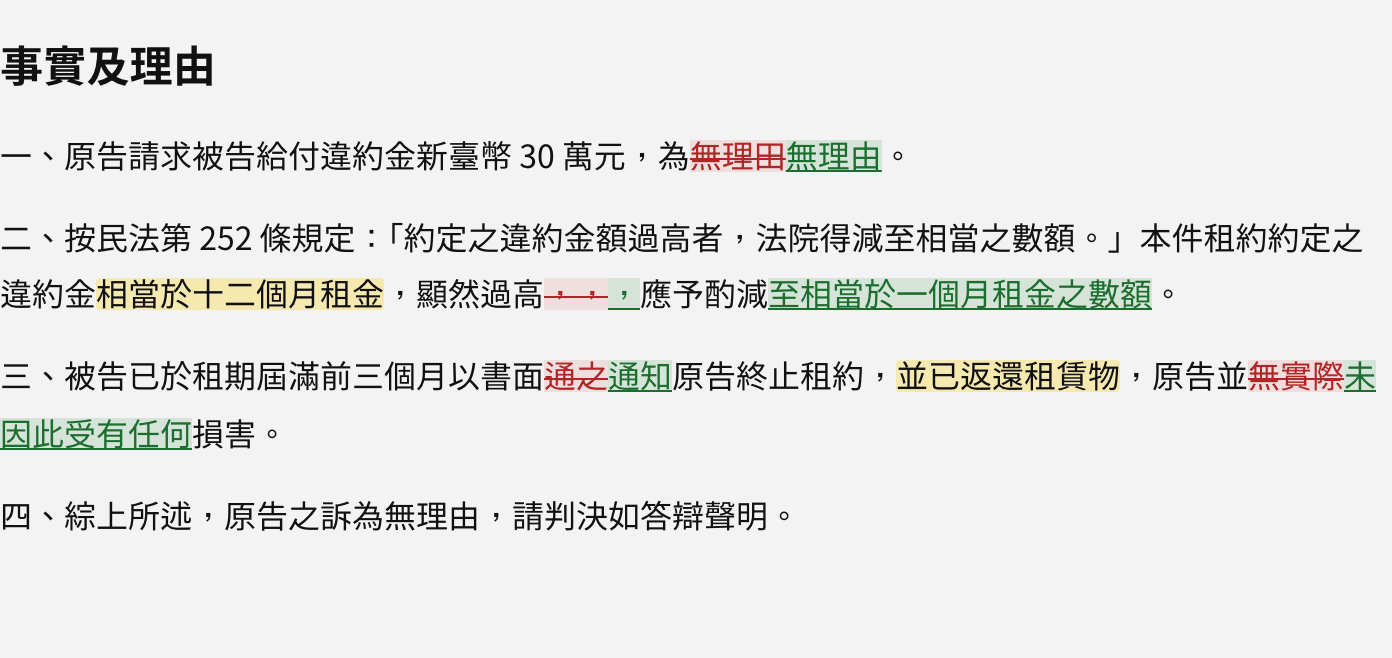
Each suggestion records who made it and when, and is listed under Suggestions on the right until someone accepts or rejects it. See Accept and reject suggestions.
Tip: text typed in a row is one suggestion; each paste is a suggestion of its own.
Paragraphs and formatting
In suggest mode, deleting or adding whole paragraphs, splitting or joining paragraphs, turning body text into a heading, and formatting changes such as bold are suggestions too.
Paste from Word
When you copy and paste from Word, tables, lists and links come along. In suggest mode, everything pasted is marked as added.