
RegAI Docs › Chat
Courts: courts, decisions and the latest decisions
Courts looks up courts, and decisions of every court, including the latest ones that RegAI's database doesn't have yet. Open it with the Courts icon at the top, or Courts in an empty chat.
It has four tabs: Courts, Decisions, Latest and Case No.
Who can use it
- The Courts and Decisions lists: no sign-in needed.
- Reading decision text in RegAI, Latest and Case No.: sign in, on any plan. Signed out, the Judicial Yuan original link still opens the decision on the Judicial Yuan's website.
Look up a court
Choose Courts, then a county or city and a district, or type a court's name (for example 板橋簡易庭), to see its address, phone and area. The data comes from the Judicial Yuan's website; actual jurisdiction is as set by law and the courts' notices.
Find decisions by court, type and year
Choose Decisions, then the court and the decision type, add the year, case word, number or decision dates if you like, and click Search. The decision dates covered are shown above the list; for newer decisions use Case No. or Latest.
List the latest decisions
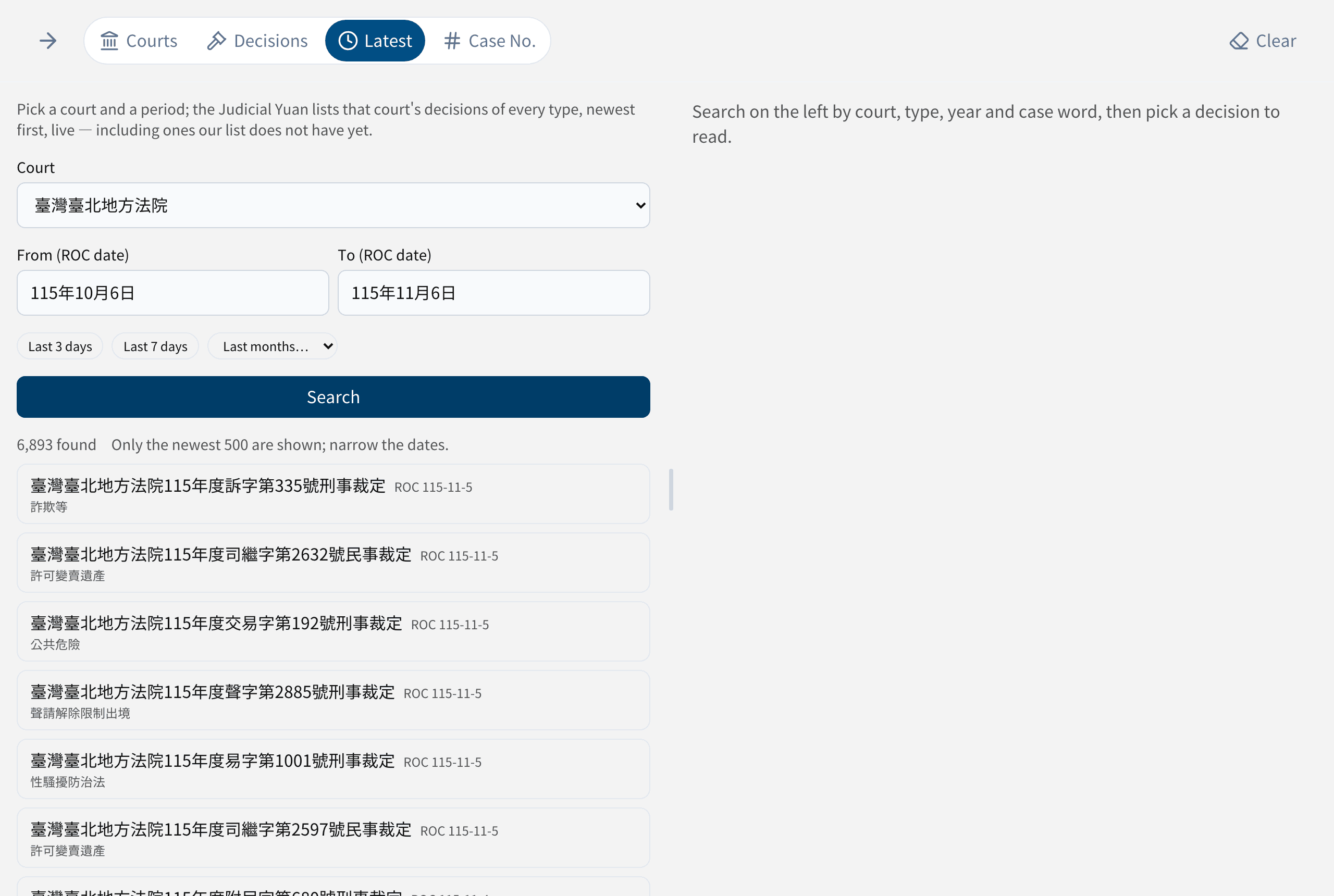
- Choose Latest.
- Choose a court.
- Enter the start and end dates (ROC dates), or click Last 3 days, Last 7 days or Last months…. The period can be up to six months.
- Click Search.
The Judicial Yuan lists that court's decisions of every type, live, newest first; up to 500 are shown, so narrow the dates if there are more.
Find a decision by case number
Choose Case No. and enter the full case number, for example 最高法院112年度台上字第7號民事判決. Without a decision type (民事, 刑事 …), decisions of every type with that number are listed.
Read it and add it to the chat
Pick a decision to show its full text on the right. The text is fetched live from the Judicial Yuan's decision system and is as published there; RegAI does not store or alter it. You can:
- Add to chat: ask RegAI about the decision.
- Copy the full text, or the case number.
- Judicial Yuan original: read it on the Judicial Yuan's website.