
RegAI Docs › Account and billing
Invite and discount codes
RegAI gives out two kinds of code from time to time, both redeemed under Invite code in Account settings:
- Invite code: turns on RegAI Pro for a period, with no payment.
- Discount code: a discount on the first payment when you subscribe to RegAI Pro.
You need to be signed in and on the Free plan; an account already subscribed to RegAI Pro or MCP Pro can't redeem a code.
Redeem a code
- Open the account menu at the top right and choose Account settings.
- Under Plan and billing, click Invite code.
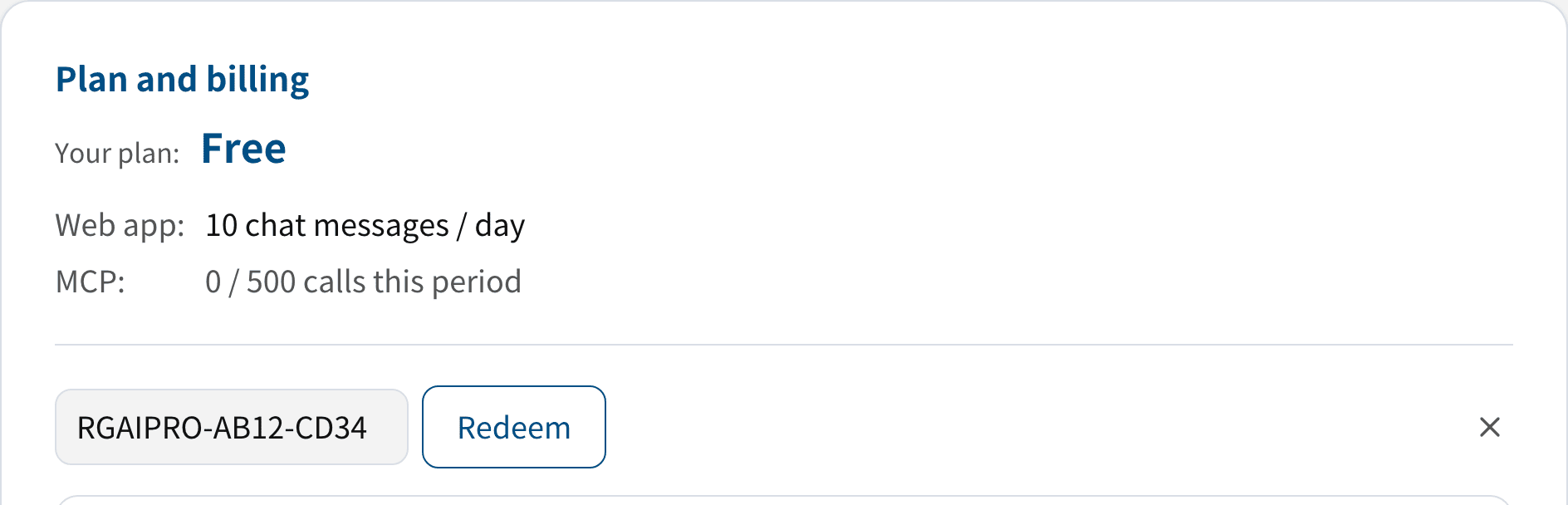
- Enter the code and click Redeem.
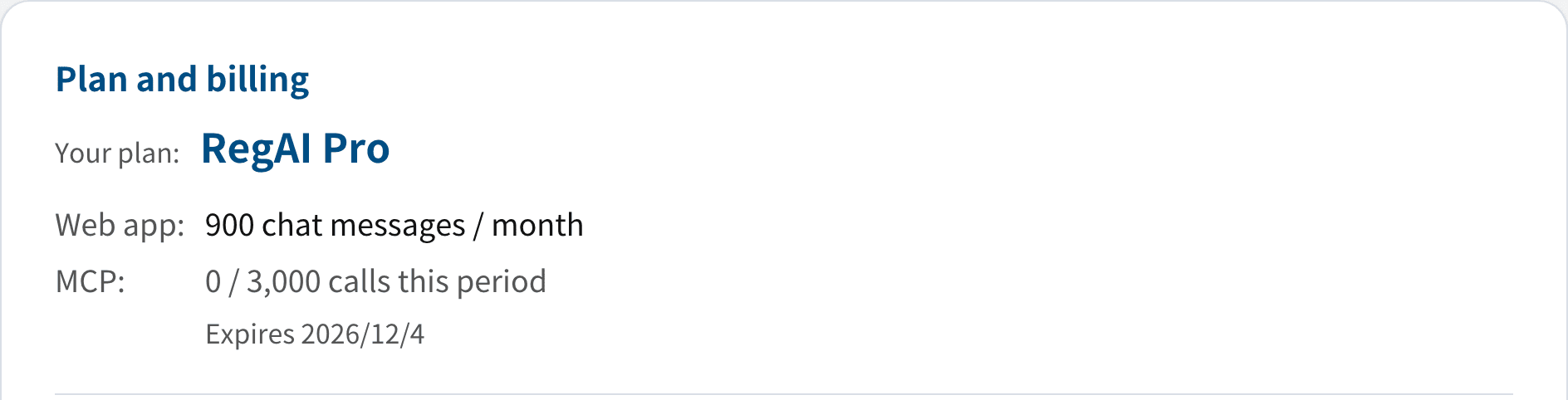
- Invite code: RegAI Pro starts at once, and Your plan shows RegAI Pro with its expiry date.
- Discount code: you are taken to Stripe's payment page with the discount applied to the first payment. Paying starts the subscription.
When an invite ends
RegAI Pro from an invite code doesn't renew and is never charged. When it expires, the account returns to Free and the rules in When RegAI Pro ends apply: documents and chats are kept for 30 more days.
To keep using RegAI Pro, subscribe to RegAI Pro after the expiry date; subscribing within those 30 days keeps everything.
Subscriptions from a discount code
The discount covers the first payment only; after that the subscription renews at the regular RegAI Pro price, like any other subscription, and you can cancel it at any time.
If a code doesn't work
If you see "That code isn't valid — it may have expired or already been used.":
- each code can be used once;
- a code must be redeemed by a deadline and stops working after it;
- check the code is complete, with no extra spaces.
If you're unsure, ask whoever gave you the code, or contact us through Support.