
RegAI Docs › Chat
Adding laws, decisions and documents to a chat
Last updated: 2026-11-06
You can add particular articles, decisions or documents to a chat; RegAI then reads them directly when it answers, without searching.
Add an article or a decision
- In @DB or Courts, pick an article or a decision.
- Click Add to Chat.
- What you added appears above the question box. Type your question and send it, for example "Summarise the issues and the reasoning of this decision".
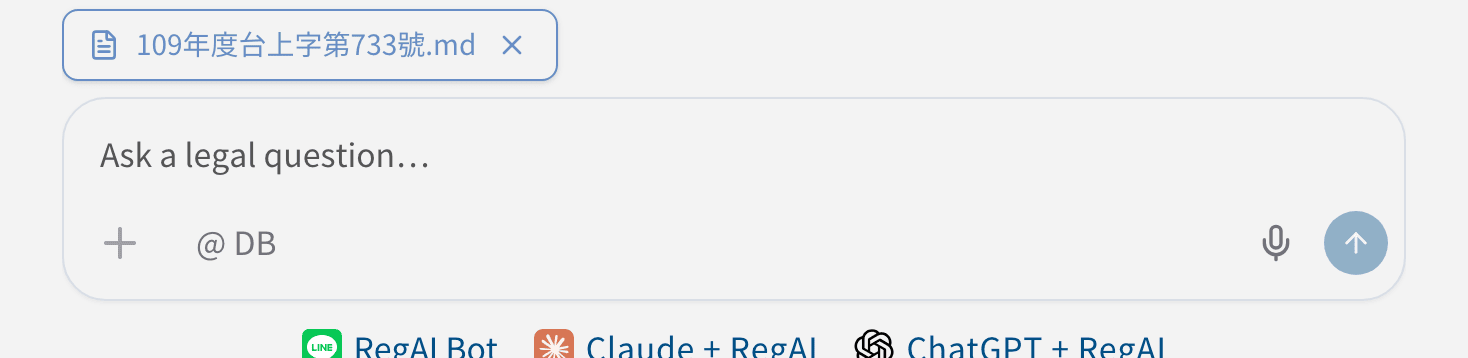
The × next to an item removes it before you send. A whole law, or ticked chapters, can be added together from Browse Full Law in @DB.
Add a workspace document
RegAI Pro members can click the Attach to query icon next to a document under Documents in the workspace sidebar, to ask about an uploaded file or a RegAI Editor document. How to upload documents: see Workspaces and documents.
What the chat keeps
Once sent, the chat lists what is Attached to this query; documents show the time of the content used. If a document is deleted later, the list marks it as deleted.
Was this page helpful?