
RegAI Docs › Account and billing
Subscribe to RegAI Pro
You subscribe and buy under Plan and billing in Account settings, after signing in. For prices and allowances see Pricing; for what each plan includes see Plans compared.
Open Plan and billing
- Open the account menu at the top right and choose Account settings.
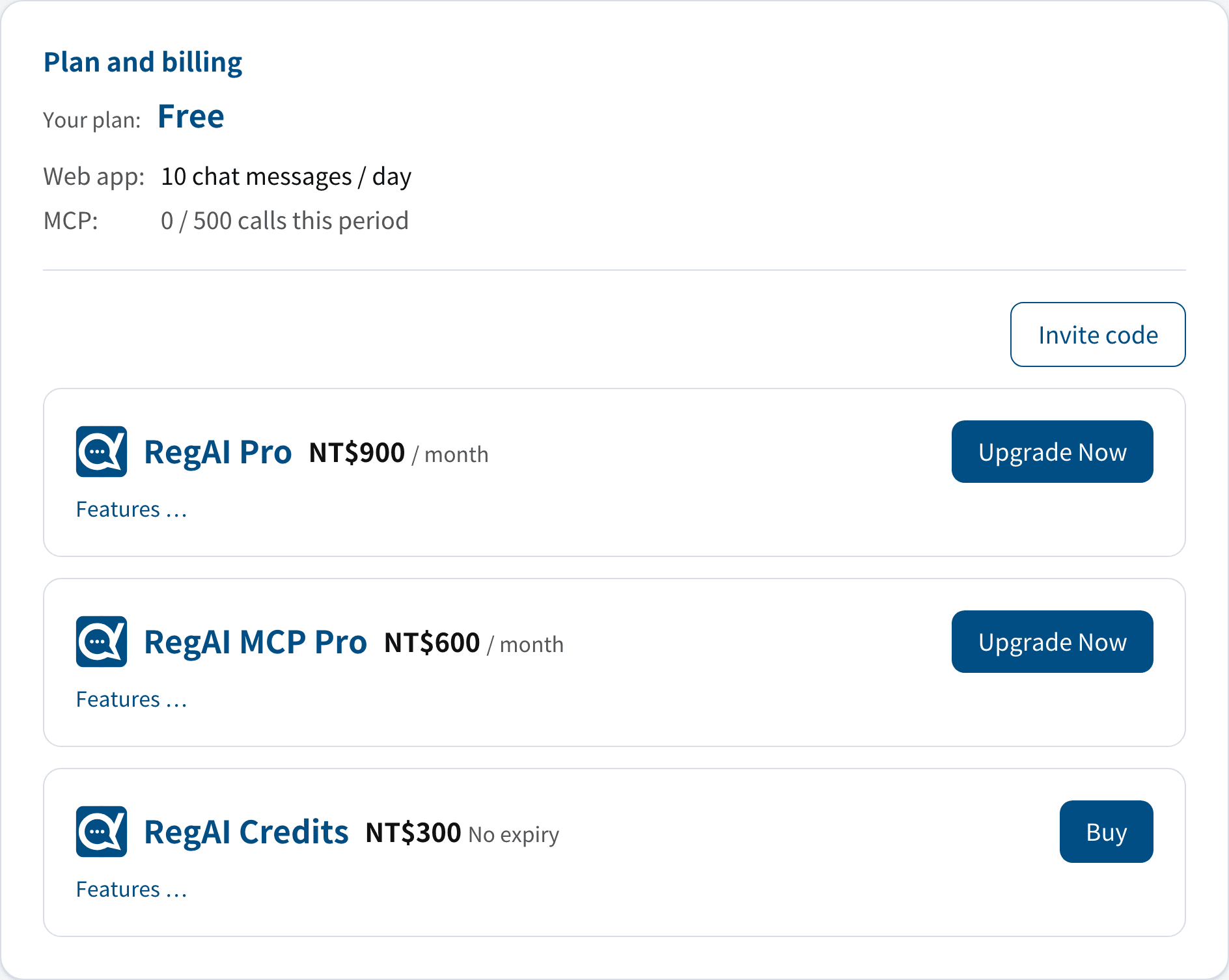
- Scroll to Plan and billing. It shows Your plan and what you can subscribe to or buy now.
Subscribe to RegAI Pro
- On the RegAI Pro card, click Upgrade Now. Features … shows what is included first.
- You are taken to Stripe's payment page. Enter your payment details and pay.
- You return to Account settings, which shows "Thank you! Your plan is being updated and will show here within a few seconds."
Your plan then shows RegAI Pro and its renewal date. The subscription is billed monthly and renews automatically until you cancel it.
Tip: RegAI Pro includes MCP Pro; you don't need to subscribe to MCP Pro separately.
Upgrade from MCP Pro to RegAI Pro
On MCP Pro, click Upgrade Now on the RegAI Pro card. Stripe first shows a confirmation page with the amount due today: RegAI Pro for the rest of the period, less the unused part of MCP Pro. Once you confirm, the upgrade takes effect at once, the renewal date stays the same, and later renewals are at the RegAI Pro price.
An MCP Pro subscription that is cancelled but not yet ended can be upgraded the same way; the cancellation is then dropped and RegAI Pro renews automatically.
Subscribe to MCP Pro
MCP Pro covers MCP only, not RegAI's paid website features. On the Free plan, click Upgrade Now on the RegAI MCP Pro card; payment works as for RegAI Pro.
Buy RegAI Credits
RegAI Credits are a one-time purchase of extra allowance, for Free and RegAI Pro accounts alike.
- On the RegAI Credits card, click Buy.
- Pay on Stripe's payment page.
Credits never expire and are used only once your plan's own allowance runs out. Credits can't be cancelled or refunded once bought.
Payment
All payments are handled by Stripe; RegAI never receives or stores your card number. Receipts, payment methods and billing history are in Manage billing.