
RegAI Docs › RegAI Editor
What the client sees
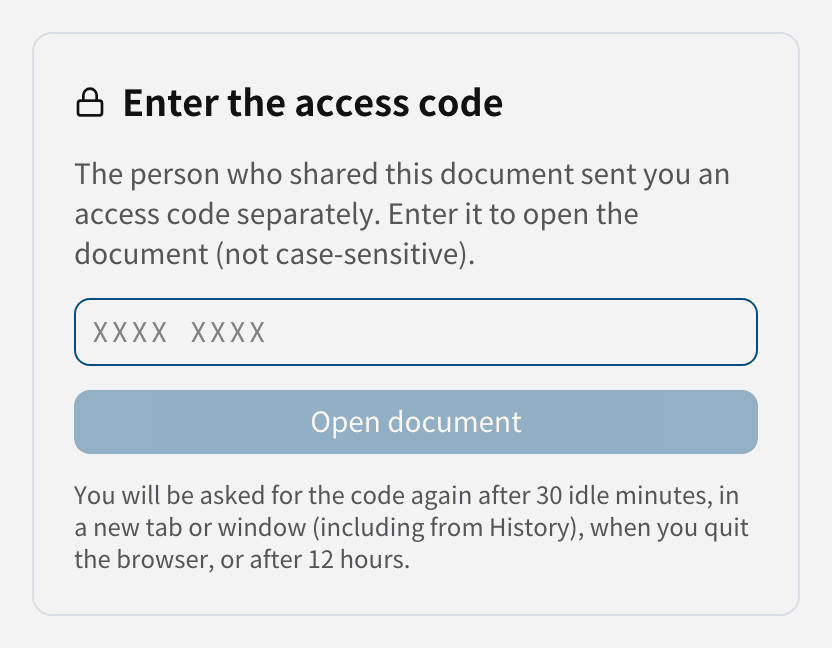
Enter the access code
The link first asks for the access code. It is not case-sensitive, and spaces don't matter.
The shared page
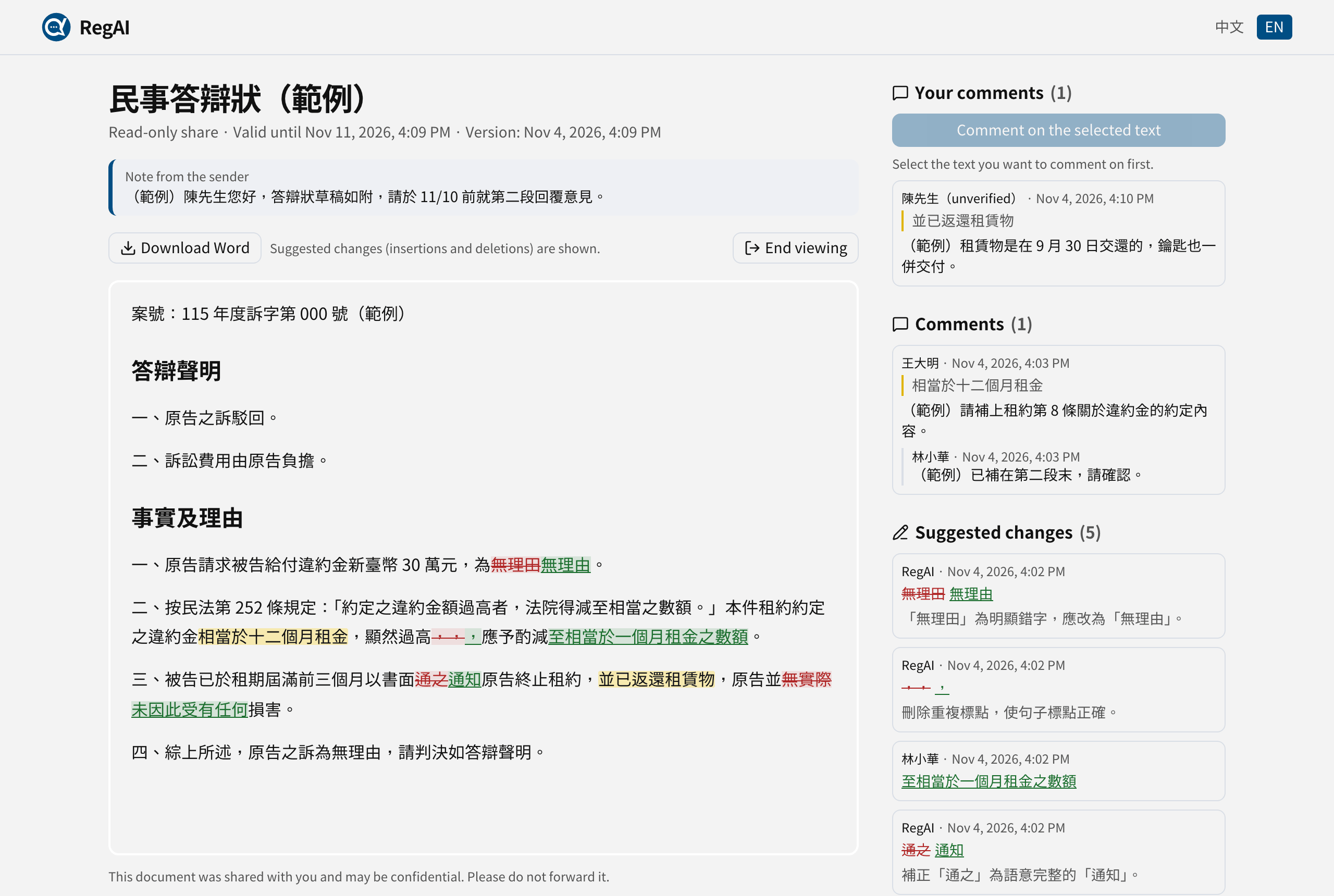
The page shows:
- the document's title, the end date and the date of the shared version;
- the Note from the sender, if you wrote one;
- the document; with Show suggestions, the suggestions and RegAI's reasons too;
- with Show comments, the firm's comments;
- Download Word, if you allowed it;
- End viewing: on a shared or public computer, the client ends viewing when done.
The page shows only this document, none of RegAI's other features, and is not indexed by search engines.
Client comments
If you allowed comments, the client selects text, clicks Comment on the selected text, gives a name and writes the comment. The name is whatever the client types and is marked "unverified".
Their comments appear under Comments in your document. The client sees your replies after reloading the page; other clients don't.
When the code is asked for again
The code is asked for again after 30 idle minutes, in a new tab or window (including from History), when the browser is quit, or after 12 hours. When you reset the code or revoke the share, an open page ends within a minute.
When the link no longer works
If the share has expired or been revoked, or the link is wrong, the client sees "This link is invalid, has expired or was revoked." Create a new share or extend it.