
Regbot - Chat bot


 RegAI Bot
 RegAILINE Official Account: chat bot
For LINE users, RegAI now runs a chat bot on its Official Account.
Use RegAI the way you already chat, right in LINE:
- Look up laws
- Ask legal questions
RegAI answers as instant messages, right in the chat.
A legal question just came up? Want to double-check an article? Just open LINE and ask.

RegAI Bot
Add RegAI's Official Account to look up laws and ask legal questions right in LINE.
Quick answers, and legal analysis you can share instantly.
Look up a law by article
Type 「民法184」
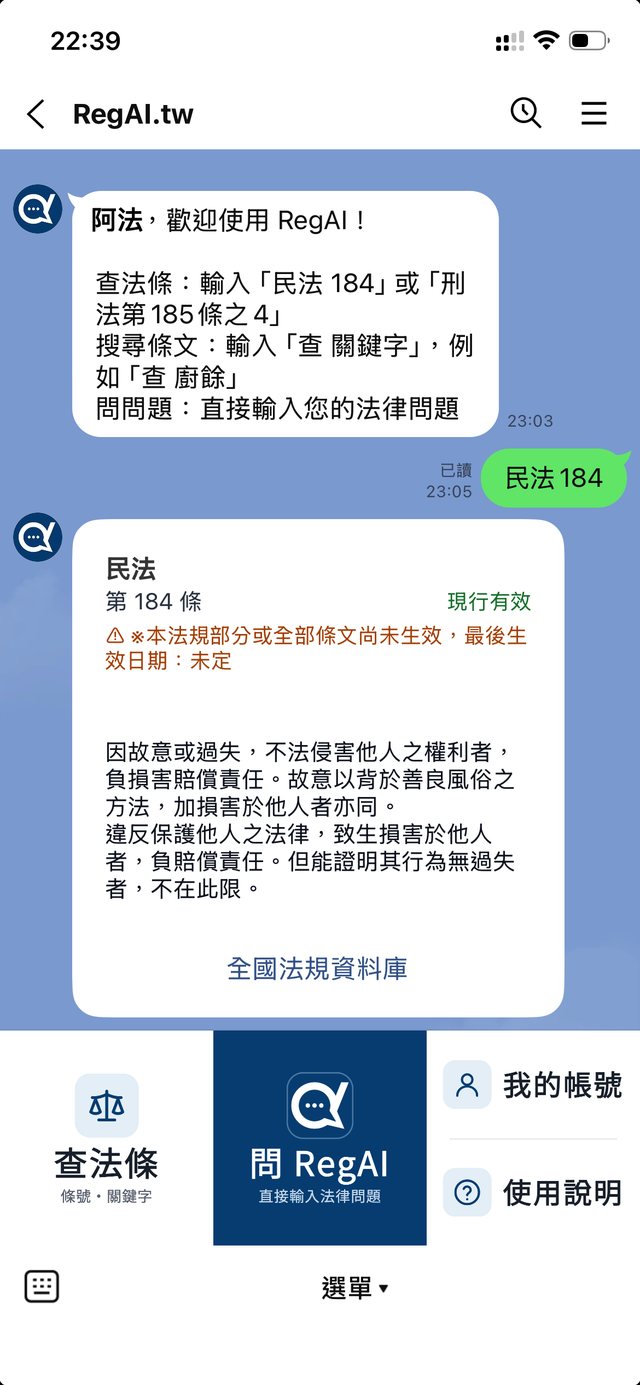
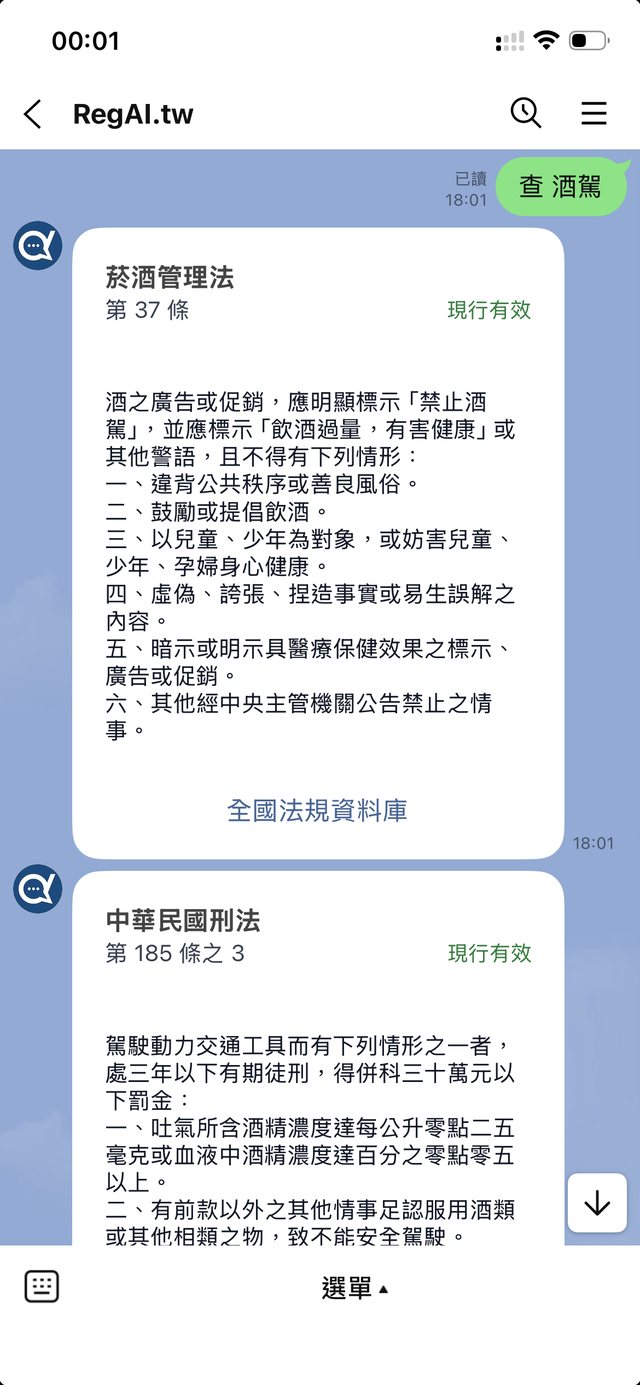
Search laws by keyword
Type 「查 酒駕」 (with a space)
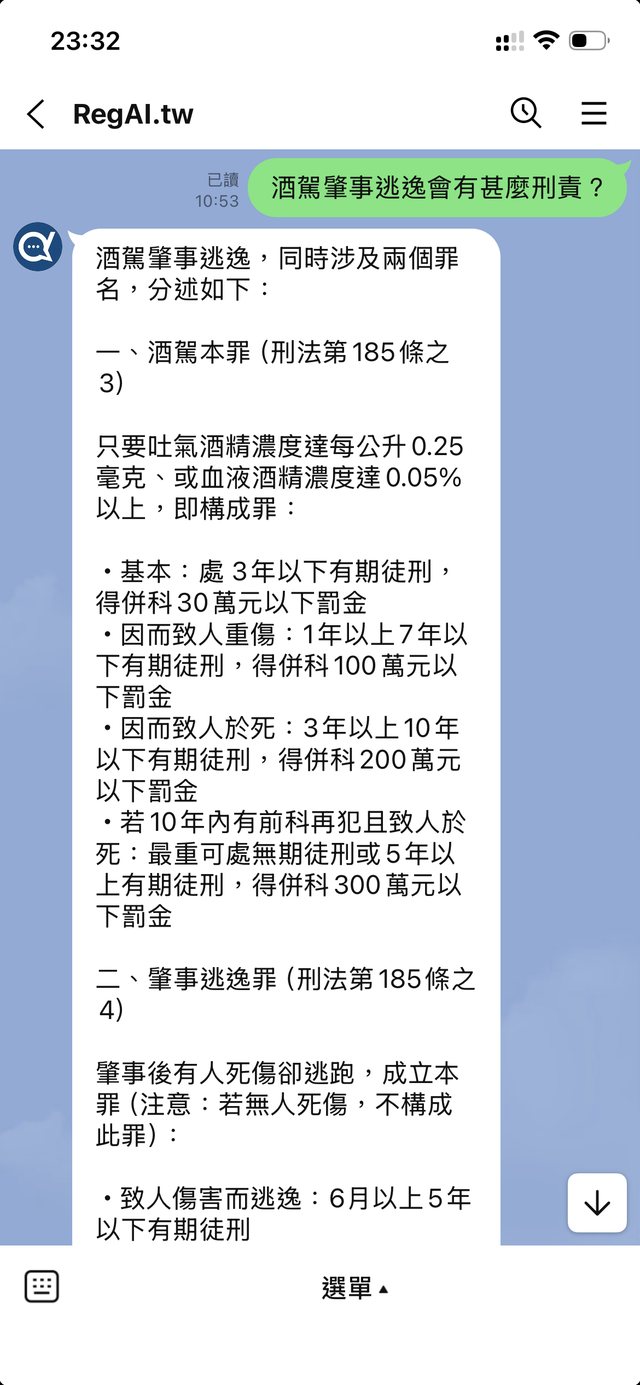
Ask RegAI:
type your legal question
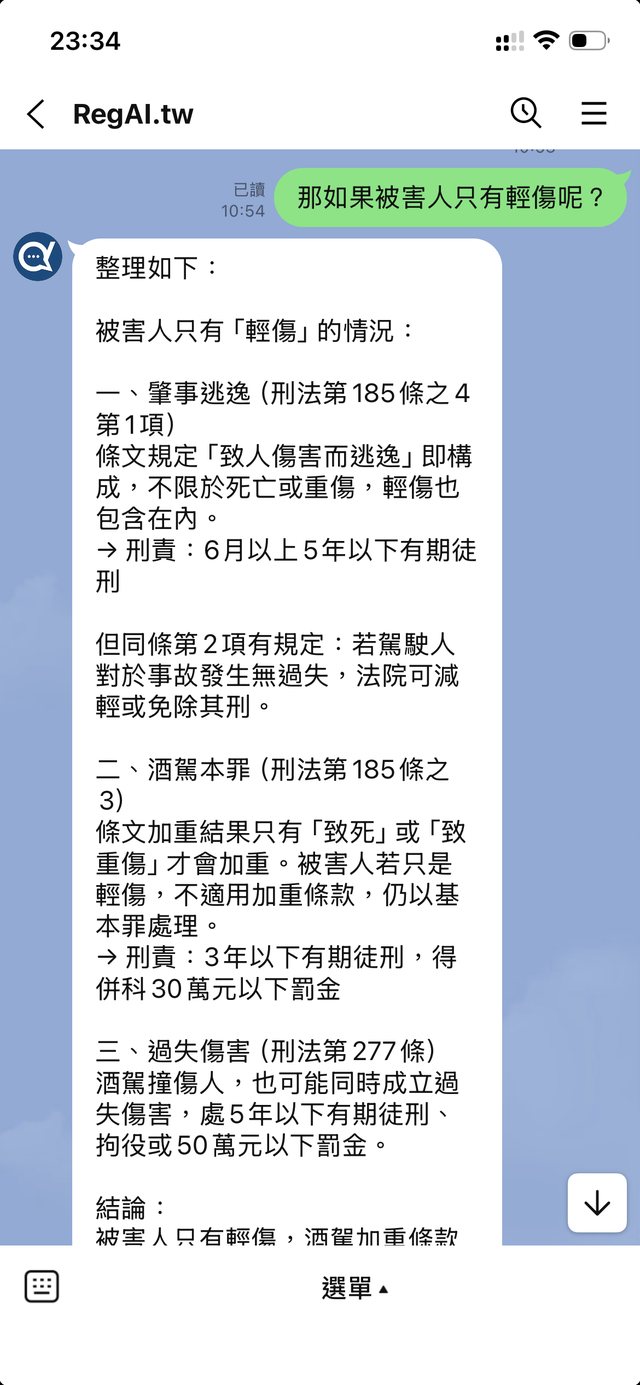
Ask RegAI:
ask follow-up questions
How to use:
type 「使用說明」 or help
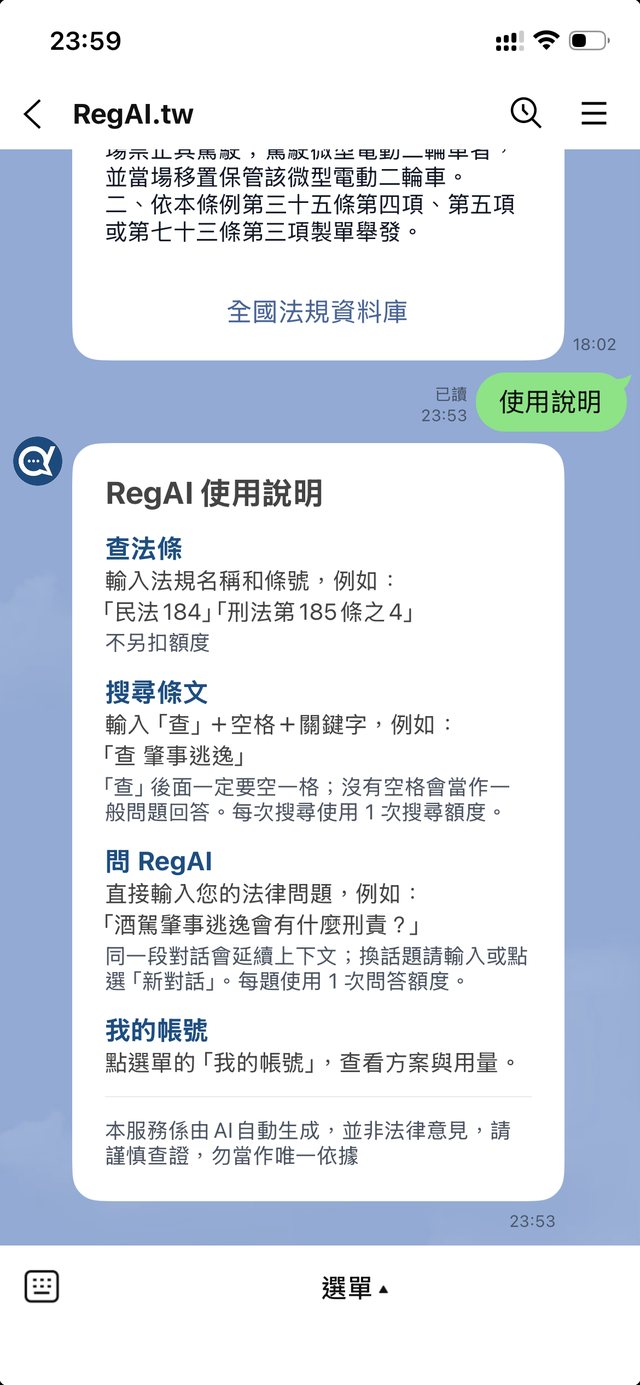
How to use
- Look up a law
- Type the law's name and article number,
e.g. 「民法184」 「刑法第185條之4」
(no extra quota used; Traditional Chinese only) - Search laws
- Type 「查」 + a space + keywords,
e.g. 「查 肇事逃逸」
「查」 must be followed by a space; without it, the message is answered as an ordinary question. Traditional Chinese only. Each search uses 1 search. - Ask RegAI
- Just type your legal question,
e.g. 「酒駕肇事逃逸會有什麼刑責?」
English questions are welcome;
Follow-ups continue the same conversation;
to change topic, type or tap 「新對話」.
Each question uses 1 chat question. - My account
- Tap 「我的帳號」 in the menu to see your plan and usage.
- How to use
- Tap 「使用說明」 in the menu to see these instructions.
Answers are AI-generated and are not legal advice. Please verify them, and don't rely on them as your only source.
Quick-lookup cheat sheet
Short forms for laws and decisions. Type them, or send them as a voice message.
| I want to… | Type | Say (voice message) | Quota |
|---|---|---|---|
Look up an article Common abbreviations work (勞基法, 個資法, 民訴) | 民法 184刑法第185條之4勞基法 11 | 查民法第184條刑法第185條之4 | No quota |
Search articles by keyword A space is required after 「查」 | 查 肇事逃逸查 廚餘 | 查,肇事逃逸(說「查」後稍停一下) | 1 search unit |
Find a decision by case number Without a decision type, all types are listed | 案號 最高法院112年度台上字第7號民事判決 | 查詢最高法院112年度台上字第7號民事判決 | 1 search unit |
Constitutional interpretation (釋字) | 釋字 812釋字第812號解釋 | 查釋字第812號解釋 | No quota |
Constitutional Court judgment (憲判字) | 憲判字 115 7憲法法庭115年憲判字第7號判決 | 查憲判字115第7號憲法法庭115年憲判字第7號判決 | No quota |
A court's latest decisions Up to 3 months, default 7 days | 最新 臺北地院 30日最新 高院 2個月 | typed only | 1 search unit |
Court information Address, phone, jurisdiction | 法院 板橋法院 臺北市 大安區 | typed only | No quota |
Ask a legal question Follow-ups keep context; English works | 酒駕肇事逃逸會有什麼刑責? | 酒駕肇事逃逸會有什麼刑責? | 1 Q&A unit |
New topic / help | 新對話說明速查 | typed only | No quota |
民法 184刑法第185條之4勞基法 11查民法第184條刑法第185條之4查 肇事逃逸查 廚餘查,肇事逃逸(說「查」後稍停一下)案號 最高法院112年度台上字第7號民事判決查詢最高法院112年度台上字第7號民事判決釋字 812釋字第812號解釋查釋字第812號解釋憲判字 115 7憲法法庭115年憲判字第7號判決查憲判字115第7號憲法法庭115年憲判字第7號判決最新 臺北地院 30日最新 高院 2個月法院 板橋法院 臺北市 大安區酒駕肇事逃逸會有什麼刑責?酒駕肇事逃逸會有什麼刑責?新對話說明速查- Typed commands need a space after the word: 「查 」「案號 」「最新 」「法院 」.
- Voice: just say it; no need to say 「案號」. Pause briefly after 「查」 to search articles by keyword.
- When saying a year and a number, add 「第」 and 「號」, e.g. 「查憲判字115第7號」, so "115 7" is not heard as "1157".
- Voice replies start with 「🎤 您說:…」 so you can check what was heard; double-check article and case numbers.